
Best Refurbished Laptops for Small Businesses in 2026
Three business-class Dell laptops with 16GB and Windows 11 Pro, matched to the work your staff actually do.
Our top picks
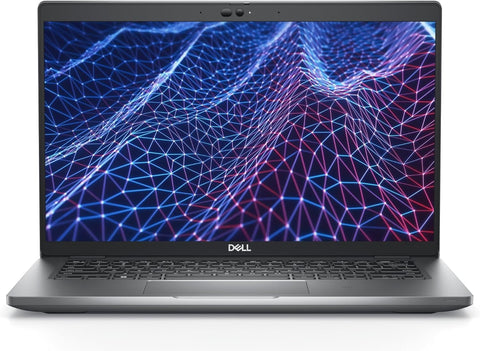

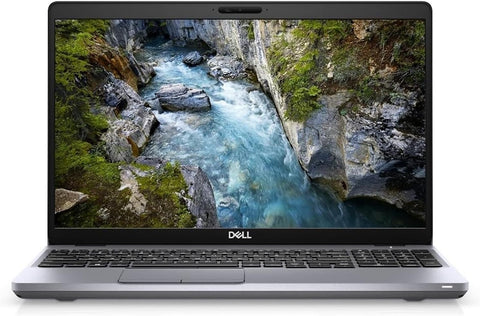
Best for heavy apps, big screen
Dell Precision 3551
i5 · 16GB RAM · 512GB · Touch · Grade A
$469.00In stock
Compare specifications and prices
| Laptop | Pick | Processor | Memory | Storage | Display | Condition | Price |
|---|---|---|---|---|---|---|---|
| Dell Latitude 5420 | Best value for office staff | INTEL 11TH GEN CORE I5-1145G7 | 16GB | 256GB | 14-inch FHD 1920x1080 | Grade A | $299.00 |
| Dell Latitude 7330 | Best for staff who travel | INTEL 12TH GEN CORE I7-1265U | 16GB | 256GB | 13-inch FHD 1920x1080, touch | Grade A | $439.00 |
| Dell Precision 3551 | Best for heavy apps, big screen | Intel Core i5-10400H | 16GB | 512GB | 15-inch FHD 1920x1080, touch | Grade A | $469.00 |
Why buy refurbished from RenewTronics
- Tested by certified technicians in our California facility, refurbishing since 1999
- 1-year hardware warranty on every laptop
- 30-day money-back returns
- Free FedEx 2-day shipping in the US
For most small businesses, the best refurbished laptop is the Dell Latitude 5420 with an Intel Core i5, 16GB of RAM and Windows 11 Pro. It is the lowest-cost way to put the same business-class machine on every desk. Choose the Latitude 7330 for staff who travel or sit in front of clients, and the Precision 3551 for people who run heavier software or want a 15.6-inch screen.
How we chose
We kept to four rules when picking for teams of one to twenty:
- In stock in depth. Each pick has enough units of the same configuration that you can buy several identical laptops, not one-offs.
- Business-class models only. Dell Latitude and Precision lines, documented in detail on Dell's support site.
- 16GB of RAM. Cheaper 8GB versions exist on the model pages; for staff work we start at 16GB (more on that below).
- Windows 11 Pro. Every listing ships with it, so you never pay to upgrade from Home.
Which one fits
Dell Latitude 5420 (Core i5, 16GB, 256GB): best value for office staff
Who it is for: most desks: admin, sales, bookkeeping and customer service work in email, Microsoft 365, a browser and video calls. It has a 14-inch Full HD non-touch screen and an 11th-gen Intel Core i5-1145G7, which Dell lists as 4 cores and 8 threads with Intel Iris Xe graphics.
It is practical in an office. Dell's spec sheet lists two Thunderbolt 4 ports, two more USB 3.2 ports, HDMI, a microSD slot and a built-in RJ45 Ethernet port, so it can plug straight into a wired network. It also has two memory slots (up to 64GB), so a machine can be upgraded later instead of replaced.
Who it is not for: someone who wants a touchscreen or the lightest possible laptop. Dell lists its maximum weight at 3.03 lb.
Trade-off: 256GB of storage is fine when files live in OneDrive, SharePoint or a file server. If staff keep large files on the laptop itself, choose the 512GB version.
Dell Latitude 7330 (Core i7, 16GB, 256GB): best for staff who travel
Who it is for: people who work from client sites, carry a laptop between meetings, or present across a table. It is a 13.3-inch Full HD touchscreen with a backlit keyboard, a smart card reader and a webcam. Dell lists its 12th-gen Core i7-1265U at 10 cores and 12 threads, and the clamshell version's starting weight at 2.50 to 2.67 lb depending on chassis.
Who it is not for: anyone who wants a larger screen, or a desk user who needs wired Ethernet. Dell's port list has two Thunderbolt 4 USB-C ports, one more USB 3.2 port and HDMI, but no Ethernet jack, so that takes an adapter.
Trade-off: Dell states the memory is integrated on the system board and cannot be upgraded. The 16GB you buy is what that laptop keeps for life, which is a good reason not to go lower on this model.
Dell Precision 3551 (Core i5, 16GB, 512GB): best for heavier apps and a bigger screen
Who it is for: staff who live in large spreadsheets, accounting or estimating software, or several heavy apps at once, and anyone who wants more screen. Precision is Dell's workstation line. This unit has a 15.6-inch Full HD touchscreen and an Intel Core i5-10400H, which Dell lists at 35W, about double the power rating of the Latitudes' processors, for more headroom under sustained load. Storage is 512GB.
Dell lists three USB-A ports, one USB-C port with Thunderbolt and DisplayPort, HDMI, Ethernet and a microSD slot. Like the 5420, it has two memory slots (up to 64GB).
Who it is not for: daily travelers. Dell lists it at 4.16 lb. It is also not a graphics workstation in this configuration: it uses integrated graphics, so it is not suited to 3D modeling or video-heavy work.
Trade-off: its 10th-gen processor is the oldest of the three. You are trading newness for screen size, storage and sustained power.
Buying several laptops for a team
For a small office, matching machines matter more than any single spec. When every desk has the same model and configuration:
- You set up one laptop, write down the steps, and repeat them. Drivers and BIOS updates come from one Dell support page.
- Staff can swap machines, and the chargers, ports and keyboards are the same everywhere.
- A spare unit covers any seat while a laptop is out for repair.
A sensible order of operations: buy one unit first and test your own software, printers and sign-in on it. If it works, order the rest in the same configuration. If it doesn't, the 30-day money-back return covers you.
A common split is the Latitude 5420 for most desks and a Latitude 7330 for the one or two people who are always on the road. For larger orders, request a bulk quote.
Why Windows 11 Pro matters for a business
Microsoft describes Windows 11 Pro as designed for small and medium businesses. On its Windows 11 Pro for business page, which compares Pro with Home, Microsoft lists BitLocker Drive Encryption, Remote Desktop, and domain and Microsoft Entra ID join as Pro capabilities that Home lacks. In practice:
- Encryption you control. According to Microsoft, BitLocker protects the data on a lost or stolen laptop by encrypting the whole drive. Home can only use the simpler automatic "device encryption". Pro adds full BitLocker, including BitLocker To Go for USB drives, which Microsoft's Windows 11 specifications list as a Pro-and-above feature.
- Work accounts, not personal ones. Pro laptops can join an Active Directory domain or Microsoft Entra ID, so staff sign in with company accounts. Microsoft notes that on joined devices the BitLocker recovery key is backed up to Entra ID or Active Directory. Recovery keys then stay with the company rather than an employee's personal Microsoft account.
- Central settings. Microsoft says organizations can manage BitLocker through Group Policy or a device management tool like Microsoft Intune (sold separately).
Because Pro is already installed, there is no per-seat upgrade to buy or apply.
Why 16GB is the practical minimum
An office laptop rarely runs one thing. Email, Teams or Zoom, a browser full of tabs and a spreadsheet are usually open together all day. 8GB configurations cost less, but 16GB gives that mix room to run, and these laptops are likely to stay in service for years.
It also matters which model you pick. The Latitude 7330 can't be upgraded, so buy 16GB from the start. The 5420 and Precision 3551 have two slots, so a heavy user can go to 32GB later, though upgrading a whole team one machine at a time costs time. If someone already knows they need more, the Latitude 5420 and Precision 3551 pages include 32GB options.
Budget per seat
Plan each seat as a full cost, not just the laptop. A charger is included with each listing; plan separately for software licenses, a bag and any monitor or keyboard at the desk.
- Tightest budget: the Latitude 5420 at 16GB is the lowest-cost of the three picks.
- Mixed team: 5420s for desk staff, a 7330 or Precision 3551 only where the job needs it.
- Spare: budget one extra unit per team if downtime would cost you more than a laptop does.
Prices change, so check the live prices above, or see laptops under $400.
Buying refurbished: what to check
- Grade. Read the condition notes on each listing so you know what cosmetic wear to expect.
- Testing and warranty. Every laptop is tested by certified technicians in our California facility and comes with a 1-year hardware warranty.
- Returns. 30-day money-back returns; details are in our refund policy.
- Battery. A battery is a wear part. A used laptop's battery won't hold quite what it did when new, so check how each unit holds a charge in the first weeks and contact support if one seems off.
Next step
Compare configurations on each model page: Dell Latitude 5420, Dell Latitude 7330 and Dell Precision 3551, or browse all Precision workstations and every laptop in stock. Equipping the whole office? Request a bulk quote or contact us with your headcount.